What Is IPTV for UK Homes and How Does It Work?
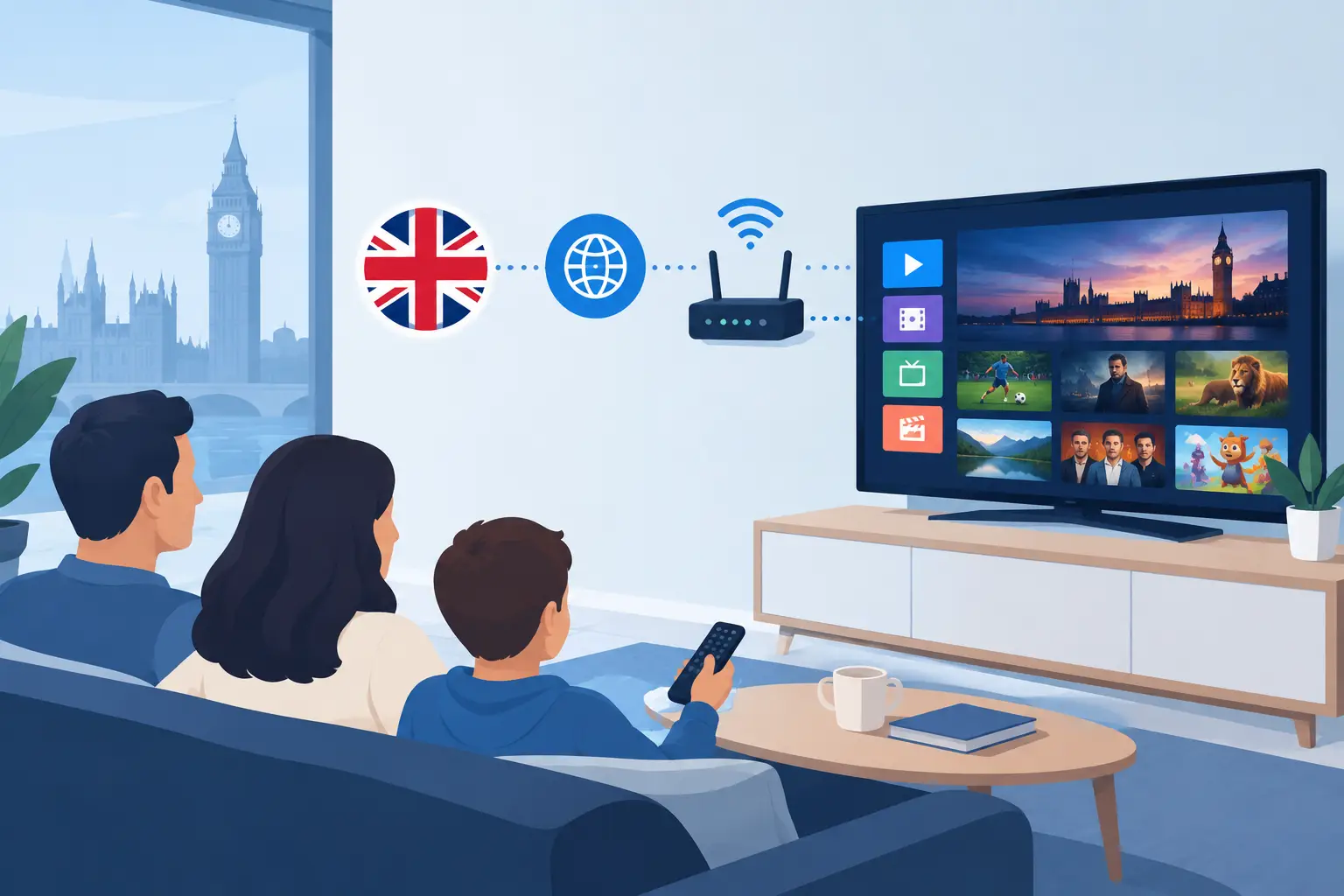
A Saturday match kicks off, the children want their programme, and someone else has found a new series to watch. Traditional TV packages often make that simple evening feel needlessly expensive and fragmented. IPTV changes the setup by delivering live television and on-demand entertainment through your internet connection, putting more choice on the devices your household already uses.
For UK and Ireland viewers, that can mean live channels, films, series, sport, news and international programming in one place rather than a pile of separate bills. The appeal is clear: more viewing freedom, less reliance on a fixed television package, and the option to watch at home or on a compatible device while travelling.
What Is IPTV?
IPTV stands for Internet Protocol Television. Put simply, it is television delivered over broadband rather than through a satellite dish, aerial or cable line. Instead of receiving a fixed broadcast signal, your chosen app or device requests the channel, film or episode through the internet.
That does not mean every service works in exactly the same way. Some IPTV packages focus on live television, while others combine live channels with a substantial video-on-demand library, catch-up-style content and an electronic programme guide. A well-equipped subscription can bring UK, Irish, European, US and worldwide viewing together, which is particularly useful for multilingual households, expats and viewers who follow sport or news from more than one country.
The experience should feel familiar. You select a channel, browse categories, search for a title or check what is on next. The difference is the delivery method and, often, the scale of content available.
How IPTV Works in Your Home
Your provider supplies account details or a playlist format compatible with the app or device you plan to use. Once the service is activated, you enter those details into an IPTV player and start watching. Depending on your setup, the player may run directly on a Smart TV, Fire TV device, Android box, mobile, tablet or computer.
The stream is delivered in small pieces of data. Your app receives and plays those pieces continuously, which is why connection quality matters more than simply having an internet service installed. A stable connection helps programmes start quickly and reduces buffering during busy viewing periods.
Picture quality also depends on the channel source, the app, the device and your broadband. HD is suitable for most screens, while FHD and 4K can look excellent on larger televisions when the stream and connection can support them. There is little value in paying for 4K capability if your Wi-Fi repeatedly drops out in the room where you watch.
For the best result, use a wired Ethernet connection where possible. If Wi-Fi is your only option, place the router sensibly, reduce interference and consider a mesh system for larger homes. A modern streaming device can also make a noticeable difference compared with an older television with limited processing power.
Why Households Are Moving to IPTV
The biggest advantage is convenience. A single entertainment package can cover the parts of television that families actually use: live channels for major events, sport for match days, children’s programming for quieter mornings, films for the weekend and box-set style viewing whenever time allows.
Choice matters too. Standard TV bundles can make international content feel like an expensive add-on. IPTV is attractive to households that want channels from the UK and Ireland alongside European, American and worldwide options. It gives viewers more control over what belongs in their entertainment setup.
Cost is another reason people switch. Conventional television often involves long contracts, equipment fees and packages built around channels you do not watch. Subscription-based IPTV services are commonly sold for a defined period, with no long-term contract and a lower entry cost. That can suit viewers who want to test a service before committing to a longer plan.
Flexibility has limits, though. Most subscriptions are sold for one simultaneous connection. If several people want to watch different programmes at the same time on separate devices, you may need additional connections or subscriptions. Check this before purchase rather than assuming every screen in the house is covered.
What to Look for in an IPTV Provider
A huge channel number is appealing, but it should not be your only test. A service is only useful when it is easy to use at the moment you want to watch. Look at content categories, programme guide quality, device support, activation times and the clarity of setup instructions.
A worthwhile provider should also be open about what is included. Ask whether live TV, films, series, sports coverage, EPG access and updates are part of the subscription. If you are buying for a particular event, language or channel category, verify availability before you pay. Channel line-ups can change, and no honest service should promise that every programme will remain available forever.
A short trial is valuable because it lets you check the things that marketing claims cannot prove for your home: how quickly channels load, whether your preferred app works properly, how the guide looks on your television and whether your broadband handles the quality you expect. A clear refund policy offers further reassurance, but read the terms before activating the service.
Support is equally practical. You may be comfortable with TiviMate or IPTV Smarters Pro, but not everybody wants to troubleshoot playlist details after work. Good setup guidance and responsive assistance can save more frustration than an extra thousand channels ever will.
TelevoiTV.uk positions its service around this all-in-one approach, with advertised live channels, on-demand entertainment, device compatibility, fast activation and trial-led access for viewers who want a broad package without a traditional TV contract.
Choosing the Right Device and App
Your device shapes the day-to-day experience. A newer Smart TV can be convenient because there is no extra box or remote, but app availability varies by television brand. Streaming sticks and Android-based devices are popular because they support a wider range of IPTV players and are straightforward to replace or upgrade.
TiviMate is often chosen by viewers who want a polished television-style layout, favourites, groups and an EPG that is easy to browse with a remote. IPTV Smarters Pro is another familiar option, especially for users who want a direct account-login process across different devices. Computers and mobile devices are useful for occasional viewing, but a dedicated television setup usually feels more natural for live sport and family viewing.
Avoid choosing solely on the basis of the cheapest device. Underpowered hardware can lead to slow menus, app crashes and a poorer viewing experience even when the subscription itself is working correctly. A reliable streaming stick or box, current app version and decent home network are a better foundation.
Getting Better IPTV Performance
Buffering is not always the provider’s fault, and it is not always your broadband’s fault either. It can come from congestion, weak Wi-Fi, device limitations, an outdated app or a temporary source issue. The fastest way to diagnose it is to test another channel, restart the app, check your connection and try a wired link if available.
Keep the app updated and avoid running downloads, game updates or multiple high-resolution streams at the same time when watching an important live event. If your router is several rooms away, moving closer to it for a quick test can reveal whether Wi-Fi coverage is the real issue.
Features such as anti-freeze systems, daily content updates and VPN protection can add confidence, but they are not a substitute for a suitable broadband connection and supported hardware. Treat performance claims as a reason to test a service, not a reason to skip the trial.
Use IPTV With Confidence
Before subscribing, make sure the service has the appropriate rights to provide the content offered in your location. If a deal seems unrealistically cheap, hides contact details or makes vague claims without explaining how the service works, move on. Legitimate customer support, transparent terms and a clear trial process are better signs than loud promises.
Also protect your account details. Use a strong, unique password where available, do not share credentials beyond the connection allowance you have purchased, and only install apps from sources you trust. Your entertainment setup should be convenient, not a security headache.
The best IPTV choice is not necessarily the one with the largest number on the homepage. It is the service that gives your household the channels, films and viewing quality you will genuinely use, on the screens you already enjoy. Test it on a normal evening, try the programmes that matter most, and let your own viewing habits make the decision.